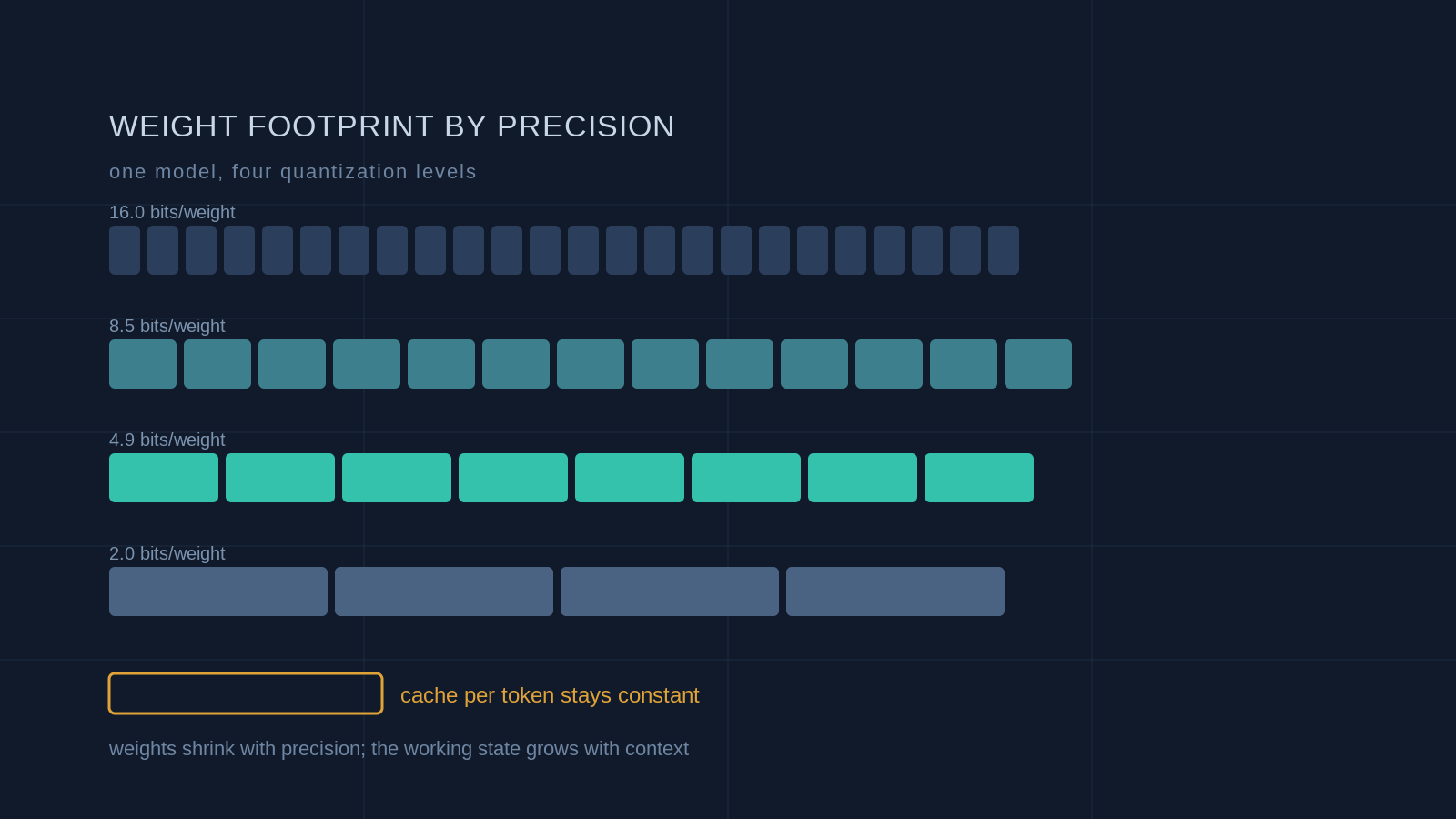
Try a smaller model file on a task with a visible failure, such as extracting a value and its unit from a crowded table. A routine summary can pass even when the same weights drop the unit. Use both tasks when storage limits force a choice.
Quantization uses lower precision for model weights. That can shrink the files, with output changes you need to measure on your own tasks. Compare two artifacts made from the same instruct model revision. Record their file sizes and conversion names. For an Ollama GGUF import, choose a compatible file that already has the precision you want. The Ollama guide places GGUF quantization before import, and llama.cpp warns that quantizing an already quantized artifact can hurt quality. Ollama model import · llama.cpp quantization guide
Set the storage ceiling before downloading
Suppose you have 14 GiB free and want to leave 7 GiB free for normal work. The model has a 4.7 GiB candidate and a 5.9 GiB candidate. Treat these as example sizes. Either candidate fits your 7 GiB allowance by itself. Together they use 10.6 GiB, beyond that allowance even before app caches and any imported copies. Test one at a time. Confirm the total space used after importing, since downloads and the app’s model store can both occupy space. Check where your runner stores models before deleting any file you will need again.
Choose candidate files you can identify by revision and checksum. Keep the context length, output cap, app build, and hardware setting the same. Record peak disk use and when the runner moves any work from the GPU to the CPU. Differences in where the weights run can change your timings.
Write a short test that can fail
Use two routine inputs you already know how to grade, and add stress cases drawn from work you care about. Include a hard constraint you can mark as pass or fail. For example, an extractor might need to preserve the decimal and unit for every quoted total. A writing assistant can pass if it retains all named deadlines and owners from a memo. Test both files with the same sample and review the output side by side. Time a second run after each model is loaded if you care about speed.
Count the space used during installation
Measure free disk space before the first download. Note the operating system, which drive holds downloads and where the runner stores its model files. A machine with more than one drive may have enough room for the product's download and too little on its system drive to finish importing it. Look up the supported storage location for your runner before moving any of its files. Save the settings and any downloaded model whose installation you cannot easily repeat.
In the example, you want to leave seven GiB free. If the 4.7 GiB download is also copied in full into a local model store, the two copies alone would require 9.4 GiB during the import. Your 7 GiB budget could fail even for the smaller file. Some installs reuse storage differently, so check the actual free space after download and during import. Keep one official download source and a note of the checksum if you decide to reclaim the disposable copy once the runner has been verified.
Leave room for the workload around the model. A video call, temporary PDF and tool-specific caches can change how much you need that afternoon. Watch memory independently from disk space. A file small enough to store still needs memory when loaded and while it processes a large context. Compare context settings on a representative document if the smaller file fits on disk but the long task becomes unresponsive.
Apply the same acceptance rules to both files
Take a real type of task with answers you can verify. Suppose the tool takes inventory from a product table. Include a tiny entry in grams, another in kilograms, a footnote that modifies a subtotal and a column with a blank value. Record the answer for every case using the labels and units from the source. Show the model the same table and prompt in both runs, and review the outputs without identifying which file generated them if you can. That reduces the temptation to excuse a mistake from the smaller file.
For text work, give both candidates a memo with an exact deadline and responsibility split. If the output sounds fluent but changes Tuesday to Thursday, record it as a wrong date. If the output adds a deadline that was absent, record that separately. You can accept format variation and still ask for exact names and numbers. Include at least one short baseline and one task that uses most of the context you intend to permit.
Check whether the test actually holds the instruct revision and runtime constant. If candidates differ in revision, language settings, or prompt template, you are comparing two deployments instead of isolating the effect of quantization. The test can still help you choose what to run locally. Record the differences so the outcome is not misread as evidence that a specific level of quantization always behaves that way.
Make the choice reversible
If only one file fits with enough spare space, keep the result of its acceptance check. For extraction where a missing unit can affect decisions, choose a verified fallback before using the output. For a less exacting draft, tag the output for human review and inspect the missed cases after a few real jobs. A second installation should have a clear purpose and enough space to undo the choice.
Keep the exact file reference, the free-space measurements and the expected responses from the test together. When replacing the file later, unload the old one and close any runner that holds the files open before using that tool's supported removal steps. Relaunch the model and repeat one normal and one difficult prompt on the new installation. A successful import tells you the runtime can open the weights. The difficult prompt tells you whether the replacement still does enough of the job.