Make a retention record for each AI account you plan to use. Start with the account type and plan, then note the screen or integration that opened the tool and the admin role that can check its policy. Put the test date next to the policy link.
Track deletion at the level of each artifact. A chat can store the prompt and answer together, while the original attachment can live in a file service and the exported answer in a shared document. You need a separate answer for each copy, who can access it, and what action you expect to change its retention.
Compare the relevant settings
Google’s consumer Gemini Apps Privacy Hub describes an 18-month default auto-delete setting for Gemini History and shows options to change it or delete chats manually. The same notice calls out different handling for work or school accounts and a separate retention rule for chats reviewed by service providers. Google lists those options for consumer Gemini Apps as of November 18, 2026. Record the setting shown on the account you intend to use. Gemini Apps Privacy Hub
Google’s Workspace help describes Gemini in apps such as Gmail, Docs, and Meet separately and explains permissions for storing prompts and generated output. It also identifies a distinct case for personal-account users who choose to share Workspace data with Gemini Apps or other services. Identify the entry point before carrying a rule from one screen to another. Gemini in Workspace data protection
For Microsoft 365 Copilot and Copilot Chat, Microsoft documents specific retention policy locations in Purview for prompts and responses. Record the actual policies applied to your group and the file-storage rules as separate entries. Have a workspace admin check which policy covers the intended users and artifacts. Microsoft Purview retention for Copilot and AI apps
Use one harmless test conversation
| Artifact | Evidence to record |
|---|---|
| Prompt and generated answer | Where they appear, and which settings or organizational policies govern them. |
| Local upload or linked document | Who owns the original and which storage policies apply to that file. |
| Exported answer | Where the export lives and whether other people have copies. |
| Audit data | What the authorized admin can view and which documented policy applies. |
Use a fake title and invented content so you can search without exposing work data. Delete only your test chat if the account allows it, and verify which screens stop showing the item. Check the original file and export independently.
Inventory a conversation before asking to delete it
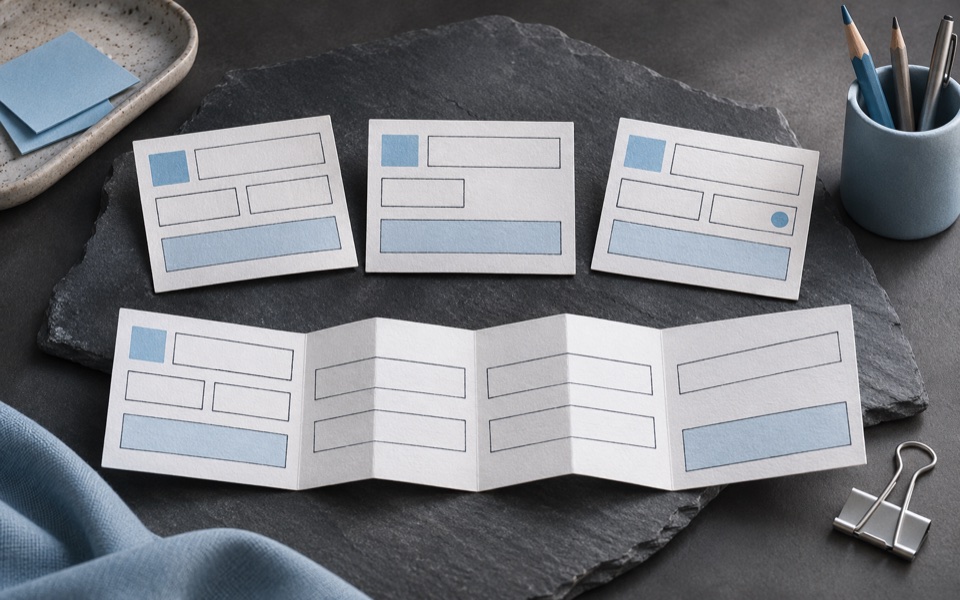
Imagine a team wants to summarise a vendor proposal. The user opens an AI workspace from a company account and uploads a harmless sample. They get a response and save it to a shared document. The workspace, document store and any endpoint supplying the feature can have different rules. Create a separate row for the prompt, the generated response, the uploaded file and the exported copy. In each row, write the service or plan, the action to take and the evidence the owner can provide.
Record which identity ran the test. A colleague may use a personal account with the same app name, while a work account has a different set of policies and settings. Collect the policy and configuration from the supported admin space. Treat the vendor's default as a starting point. Record whether the workspace administrator changed it and who is authorised to see that setting. If two surfaces share a brand but have different privacy terms, give them separate rows.
Add other possible copies only where the product and setup actually use them. A browser extension or meeting integration can send records to another tool. A manual export may outlive its original chat. Look for an audit feature from an authorised admin account and record what type of data appears and describe the type in your log. Identify any legal or operational hold the administrator has confirmed for the test scope before assuming a removal action will erase managed copies.
Run a visibility check and ask the admin a different question
Pick a fake phrase such as “Slate Finch example” and put it in both the test prompt and the harmless upload. Verify that you can open the resulting chat before deleting it. Note whether the product offers Delete, Remove from history or another action. Apply the chosen command to the test item only. Reopen the workspace in a new session and search for the phrase. If the result is gone from the chat list but the uploaded file opens independently, record those as two observations.
Ask the admin which retention policy covers that test account's prompts and responses and whether the upload or output has its own policy. A screen test establishes whether the user can see the contents after a given action. To learn about retention beyond the user's view, review the vendor's terms and applicable configured policy with the admin. Ask them to identify the request life cycle and any exception, including a context where retained copies are inaccessible to the ordinary user.
Choose the expected result before starting. A requirement could say that only named users can open a draft output, or that work records must remain available for a defined hold. Deletion is not always the goal. Verify both the present control and how the team will revisit it if the vendor changes the feature or the workspace adds a service. Use a date and owner for each unresolved question.
Attach the decision to the proposed use
Give the data owner a short example of the workflow, the types of inputs and what the administrator observed. Include the content you will still keep independently, such as a signed record in a team folder, and who may later open it. If a product cannot meet a requirement for a particular data type, choose a permitted sample dataset for the pilot or leave that data type outside its scope.
When adopting automated notes, include the meeting summary export and distribution path. The meeting notes rehearsal checks where the recipients see the record and how correction changes what they use. Keep that record with the workspace configuration so the next owner can check the same account surface after an upgrade.